Sign up now and get 50% off on your first month on any plan

Earlier this year, NVIDIA's CEO, Jensen Huang, claimed that 2025 would be the year of AI Agents, and it looks like he was right. First, it was LLMs, then AI workflows, and now it’s AI Agents taking over automation.
Every industry is in a rush to implement its own Agentic AIs, and it looks like the race has begun. AI automation is being integrated across almost every major industry. Even in marketing, your entire GTM process, including sales, can receive a significant boost with AI agents.
Why? Because there’s a productivity crisis in sales, as 65%-75% of their time is spent on manual and tedious tasks rather than selling, which is the primary job description.
A report from Salesforce states that sales teams (5,500 sellers from 27 countries) are spending only 30% of their time in a week on selling. You can see how this creates a huge vacuum in the actual job.
Smartlead has always been working in the background to address this issue for sales and GTM teams, and as usual, we broke through these shackles and developed the Smartlead AI Agent called SmartAgents.
So, what is SmartAgents? How to use SmartAgents? This blog will be your guide to understanding and using SmartAgents and transforming your GTM with Agentic AI.
Think of SmartAgents as your AI-powered automation buddy who will handle all the manual, time-consuming tasks for you in the background. It’s a customizable assistant that’s built directly into Smartlead.
Want to automate and schedule email replies? Done. Mailbox management? Done. CRM updates? Analytics? Done, and done. In other words, you’ll be able to automate your go-to-market (GTM) process completely.
Before AI agents, users had to use LLMs to create copy for their emails and then use a different one to review them. Then you reply to those emails based on the lead responses, but not anymore. SmartAgents does all this for you, and even better, it makes the decisions for you.
Think about all those repetitive tasks done by your Sales team, like data entry, prospect research, and Slack follow-ups, which are all now automated with SmartAgents. Your Sales team can now close more deals without wasting their time on these tasks.
Here are a few things that SmartAgents can do for you:
You can build a SmartAgent from scratch or start with a pre-built template, no coding required.
As we discussed earlier, sales and marketing teams spend 65–70% of their time in a week on non-selling tasks. This includes manual follow-ups, checking the mailbox and responding to them, updating CRM, generating reports, and updating data.
Based on the data from Smartlead alone, our users respond to ~60,000–70,000 replies daily, taking around 5 minutes each. This amounts to over 300,000 minutes daily, equivalent to 833 workdays that users are losing to repetitive work.
SmartAgents ensures that all of this is automated and handled for you in the background. You can run the agent at a designated time to auto-reply to emails, get reports for campaigns, and much more.
This significantly increases productivity, enabling the team to focus on high-value tasks for their business, such as relationship building and direct selling.

With SmartAgents in Smartlead, your sales and marketing operations are fundamentally transformed by AI automation. Users can either use existing templates or create their own agents to simplify their cold email campaign journey.
Here’s how you can optimize workflows with SmartAgents
SmartAgents is a modular AI-driven assistant that works based on:
You can run one SmartAgent or build a network of specialized SmartAgents to cover your full GTM motion.
Here are some real-world SmartAgents use cases you can set up in minutes:
Log in to your Smartlead account and find the “SmartAgents” in the left-hand navigation panel of Smartlead.
.avif)
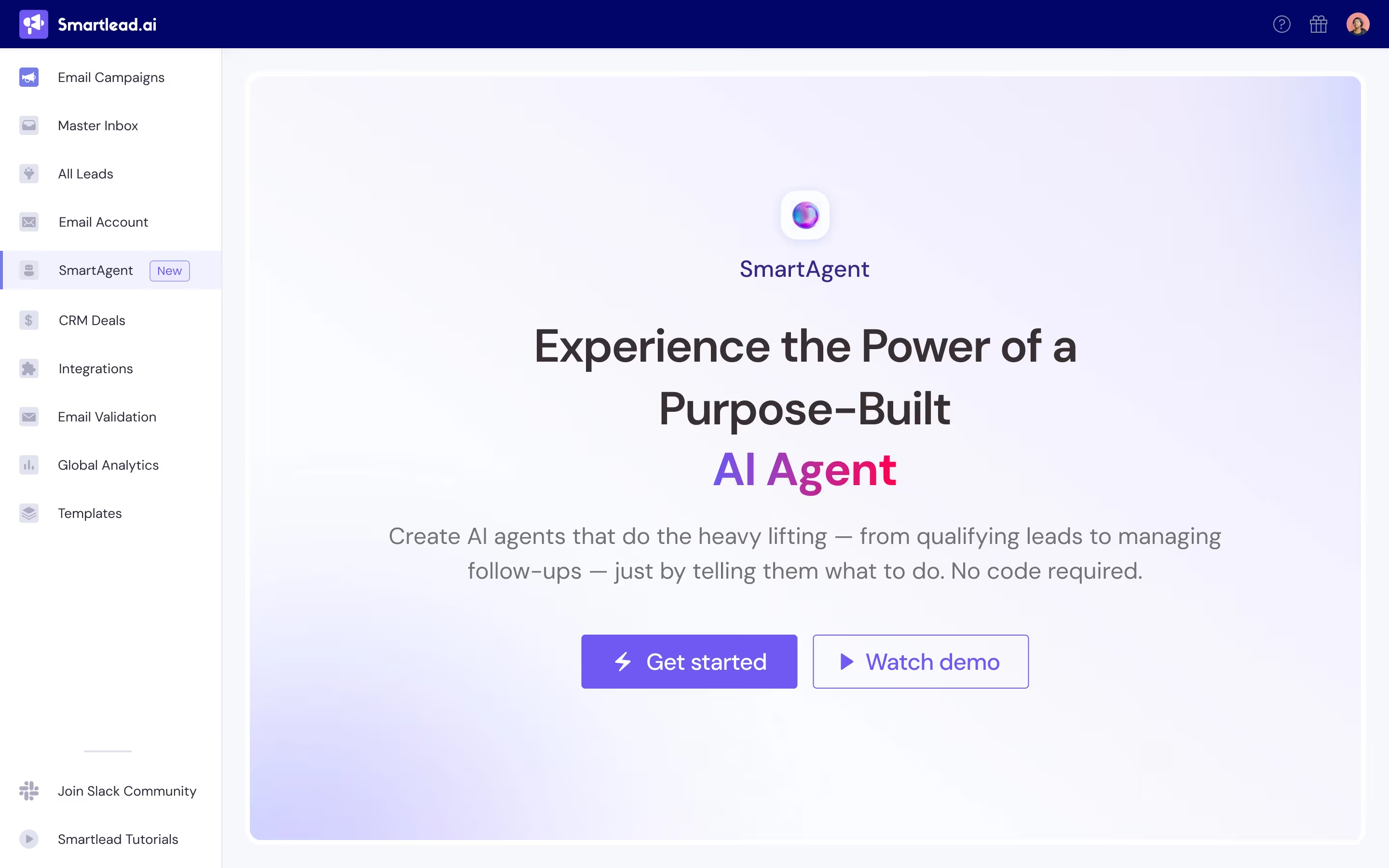
If you want to start your AI agent from scratch, then click on the “Get Started” button to describe the task you need the Agent to perform.
Alternatively, you can select a pre-existing template available on the screen to run a query for you.
You can also customize your prompt according to your specific requirements. For example, you can define your ICP, tone of messages, and rules it should follow while running a query.
From the right-side panel, you can link essential tools like CRMs, Slack, Cal.com, Airtable, or other platforms via API keys. You only have to connect your tools to Smartlead once.
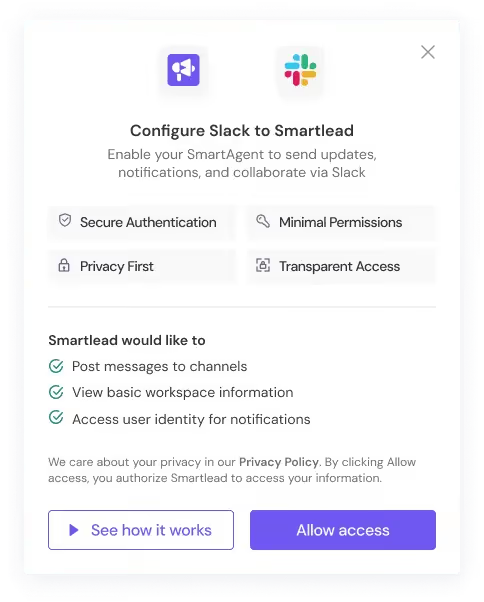
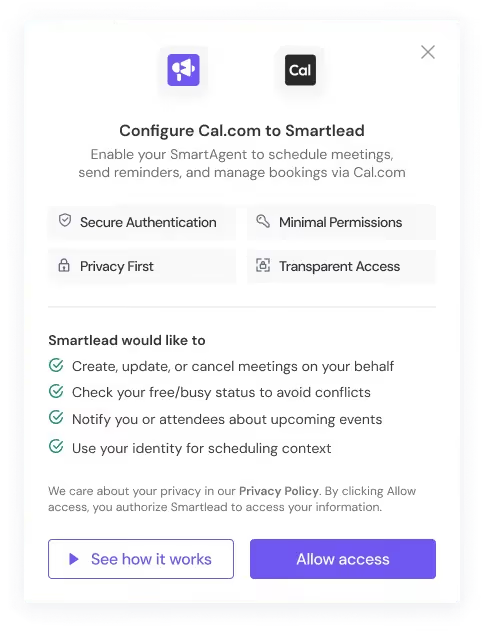
Run a simulation to see precisely how the SmartAgents will behave. If you’re not satisfied with the test run results, provide appropriate feedback, and the simulation will rerun with the provided inputs.
Set triggers (such as schedule, webhook, or event-based) and enable them.
Here’s an example to help you better understand how to run SmartAgents
You’ll write a prompt and give instructions on what you expect from the AI agent. In the example below, we’ve created a SmartAgent to trigger LinkedIn outreach with the following instructions:

.avif)
.avif)
.avif)
.avif)
.avif)
Well, now you have your very own SmartAgent to trigger LinkedIn outreach. This is just of the many ways you can use SmartAgents for your cold email outreach.
To make things easier for our users, we’ve already built in some SmartAgents templates to help you get started quickly.
Dane is your AI-powered lead enrichment specialist, designed to ensure every contact in your sequence is rich with actionable, up-to-date data.
Dane automatically pulls in information from sources like Apollo, Clay, or LinkedIn, researching and enhancing lead profiles with critical insights—such as company size, industry, recent funding, decision-maker names, and contact details.
Dane then scores each lead based on your Ideal Customer Profile (ICP), updates lead fields, and flags high-priority prospects. This not only makes your outreach more targeted and personalized but also keeps your CRM and campaign lists squeaky clean, so your team contacts only the best-fit opportunities.
Alan is your always-on CRM data sync agent, eliminating manual updates and ensuring your pipeline is always up to date. Alan listens for new qualified leads, replies, or any status changes in Smartlead, then instantly pushes the data (with full enrichment details) into your chosen CRM—be it HubSpot, Salesforce, Pipedrive, or another platform.
If a hot lead is identified, Alan can assign tasks to a sales rep, create new contacts or deals, and even trigger notifications so your team can follow up while the lead is warm. Through seamless integration, Alan closes the loop between your outreach and your sales process, ensuring no opportunity ever slips through the cracks.
Tale is your smart follow-up automation agent, engineered to increase response rates and keep prospects engaged—without the need for human nudging. Tale monitors each outreach workflow, identifies contacts who haven’t replied, and schedules follow-ups based on pre-set rules or engagement data.
You can configure Tale to vary message timing, personalize follow-ups, switch sender profiles, or escalate sequences across multiple channels (like email, Slack, or LinkedIn) as needed. With Tale, you can ensure persistent, polite, and timely engagement with every prospect—helping your sales team stay top-of-mind without ever dropping the ball.
Here are some best practices to follow for using SmartAgents to make it work perfectly:
SmartAgents solves the sales productivity crisis where teams spend only 30% of their time actually selling. By automating the manual tasks that consume 65-75% of sales professionals' time - from prospect research to CRM updates - it redirects focus back to revenue-generating activities.
The platform's accessibility sets it apart: no coding required, natural language prompting, and pre-built templates mean any sales team can deploy sophisticated AI automation within days. Early adopters will establish significant advantages in efficiency and scalability as AI agents become the competitive standard.
Start with one high-impact process, validate results, and scale from there. The transition to AI-powered sales operations isn't optional - it's essential for staying competitive in modern sales environments.

SmartAgents is an AI-powered automation assistant built directly into Smartlead, going beyond basic automation rules. Unlike traditional tools that follow simple if-then logic, SmartAgents use artificial intelligence to make decisions, analyze situations, and take proactive actions without constant human intervention. It can handle complex tasks, such as drafting personalized email replies, managing mailbox health, and optimizing campaigns based on performance data, essentially acting as an intelligent team member rather than just a workflow tool.
No coding skills are required. SmartAgents is designed for users without technical backgrounds. You can either use pre-built templates (like Dane for lead enrichment or Alan for CRM sync) or create custom agents using natural language prompts. The interface is conversational - you simply describe what you want the agent to do, and it builds the workflow for you. You can test and refine agents through simulation before deploying them.
You maintain complete control over SmartAgents' actions. You define the triggers (when it runs), set specific rules and conditions, choose which tools it can access, and configure approval workflows where needed. For example, you can set up a Reply Agent to draft responses for your review before sending, or configure it to send automatically based on your criteria. Every action is logged, and you can pause, modify, or stop any agent at any time.
SmartAgents integrates with popular business tools, including HubSpot, Salesforce, Pipedrive (CRMs), Slack, Google Sheets, Airtable, Calendly, Apollo, Clay, and LinkedIn tools like HeyReach. You connect these tools once using API keys, and SmartAgents can then perform actions across your entire tech stack. The integration list continues to expand in response to user needs.
SmartAgents includes several safety and monitoring features: comprehensive logging of all actions, simulation testing before deployment, real-time alerts for anomalies or errors, and detailed run histories you can review. You can start with small, low-risk automations and gradually expand as you build confidence. The system also allows you to set approval requirements for sensitive actions and provides continuous feedback loops to improve performance.
SmartAgents is highly customizable and can adapt to various industries and specific business needs. You define your Ideal Customer Profile (ICP), business rules, compliance requirements, and communication preferences. Whether you're in SaaS, e-commerce, consulting, or other industries, you can configure agents to follow your specific workflows, terminology, and processes. The key is to be detailed in your initial setup and provide clear guidelines.
SmartAgents includes multiple safeguards: test runs before deployment, detailed logging for accountability, the ability to pause or stop agents immediately, and approval workflows for sensitive actions. If an error occurs, you can review the logs to understand what happened, provide feedback to improve future performance, and adjust the agent's configuration. For critical communications, you can always require human approval before sending.
Based on Smartlead's data, users typically handle 60-70,000 email replies daily, taking about 5 minutes each. SmartAgents can automate much of this workload along with other repetitive tasks like data entry, CRM updates, and campaign monitoring. Many users report saving 15-25 hours per week on administrative tasks, allowing them to focus on high-value activities like relationship building and strategic work. The exact time savings depend on the complexity of your current workflow and the specific processes you choose to automate.
SmartAgents operates within Smartlead's existing security framework, using secure API connections and encrypted data transmission. You control which tools and data sources SmartAgents can access through permission settings. The system maintains audit logs of all actions for compliance and security review. You can also set up role-based access controls to limit who can create or modify agents in your organization.
Absolutely. The recommended approach is to start with one high-impact process (like email replies or lead qualification) and expand gradually. You can begin with pre-built templates, learn how the system works, then create more sophisticated custom agents as your confidence grows. This allows you to validate the value and build trust in the system before automating more complex or sensitive processes.
Join us to elevate your outreach!
Founder, StackOptimise
Smartlead's combination of automation, unlimited inboxes, and easy campaign management has completely transformed how we run cold email campaigns.
.jpg)
Founder, Cold Email Hackers

We have about 15 companies and we use Smartlead for all of them.

Founder, DutchSave Media

One of the things I love about using Smartlead is the deliverability feature. If they landed in the bounce or spam folders, we could resolve this quickly.

Co-Founder, Growth Today

I want to continue to use Smartlead to make operations more seamless - the plan is to bring more clients here and build more SOPs.

Founder, FueltoFly

Smartlead listens to the agencies and customers and builds according to what people want, that has really made things easier for us.

Founder, OutboundSync

We build an infrastructure product, and OutboundSync communicates with Smartlead itself. I love the webhook and API. They're really well done and keep getting better.

Founder, Axoleads

With SmartDelivery, you can put all of that in the hands of the tool. It ensures your emails land in inboxes, and by running a simple test, you can see if you're hitting the mark.

Founder, Claygen
Deliverability is the cornerstone of cold email outreach. You could have the best email copy in the world, but if no one is seeing it, it's useless. I really love the feature where you can actually give client accesses to your clients.

Co-Founder, Cymate

I do not want to switch to another software. Pick a solution you trust, stick with it, and keep refining your copy.

CMO, Avalanche Capital

Managing large volumes of emails through multiple inboxes used to be a logistical nightmare. With Smartlead, the process is seamless. We book thousands of discovery calls through cold emails. These campaigns are generating leads at a scale we never thought possible.

Founder, Growth Engine X

We came for the unlimited inboxes, and we stayed for the API. 1.5M cold emails/month, 7,767+ inboxes managed.

Head of Community & Ecosystem, TxtCart

You cannot replace having 10,000 touches with potential clients. When you have that much distribution and reach, you really start to see incredible results. The simplicity of Smartlead made all the difference. It doesn't require you to be a technical wizard.

Founder, Hyperke

Smartlead has been a game-changer for us. It increased our appointment volume, improved ease of use, and offered valuable features. 80% increase in appointments/month, peak of 276 appointments in a single month.

Founder, Kinetyca

Smartlead has been our cold email backbone from day one. The platform evolves constantly, keeping pace with how deliverability and personalization need to work today. 21% overall reply rate, $175K in 4 months for multiple B2B clients.

Founder, Reachflow

Smartlead is centered around deliverability and constantly evolving. Their API is not like any other platform. Smartlead covers all our needs. The focus on core features like deliverability and API integration is unmatched.

CEO, Halfwarm

Our approach to crafting conversational emails led to reply rates that many of my peers thought were unattainable.

Co-Founder, letstrike

We've grown on zero capital, zero marketing, purely cold emailing - and that's the story we love to tell. The best approach is no approach if you can't handle domain meltdown. The second best is something like Smartlead that's built from the ground up for deliverability at scale.

Founder, Fenixtal

Smartlead's white-labeling and automation let us punch above our weight. The 12M euros sales potential? That's what happens when you combine human creativity with Smartlead's precision.

Co-Founder, Digital Creativs

Nine out of 10. Ninety percent of our clients are on Smartlead unless they come in with an existing setup. That's the default.

Co-Founder, BuildingReach

At the end of the day, you have to take a bet on one tool or another. It was a no-brainer taking that bet on Smartlead. We had to even turn down the volume of our marketing campaigns - Smartlead was capable of driving more volume than our sales team was able to fulfill.

Founder & MD, Prospectiv

Since starting the business in January of this year, we've already generated $200K in sales exclusively from cold email. Smartlead has been central to our operations and has exceeded our expectations.

Founder, Growthlynk

There's so much stuff built on top of it. I would be dead if I had to rebuild it with another tool. I can manage hundreds of senders easily. I can send hundreds of thousands of emails.

Founder, Corebits

The platform's HubSpot integration, real-time Slack updates, and advanced campaign customization have been game changers for our business and our clients'.

Founder, Apex Ascension

From day one, we've never used anything else.