








%20(1).webp)









Centralized email response management system
One Shared Inbox for All Campaigns and Clients.

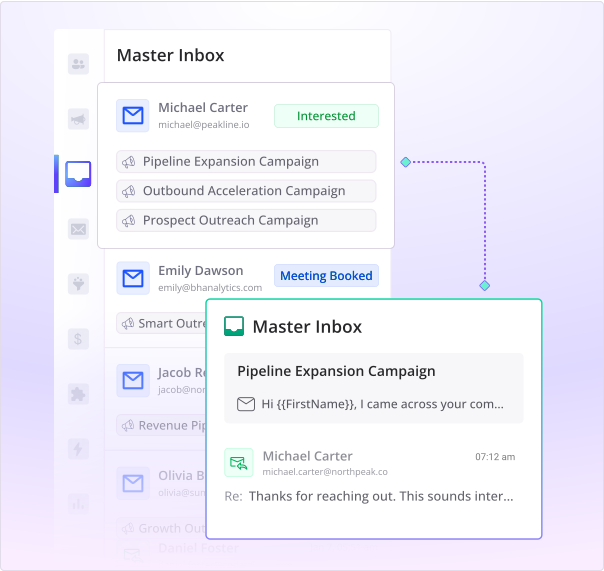
View all replies from multiple mailboxes in a master inbox
No need to switch accounts - one login shows everything.
Use this as a shared inbox tool across teams or clients.
Tag replies automatically or manually by sentiment or context.
Smart filters & bulk actions for campaign visibility
Review and Act on Replies Faster With Custom Views.
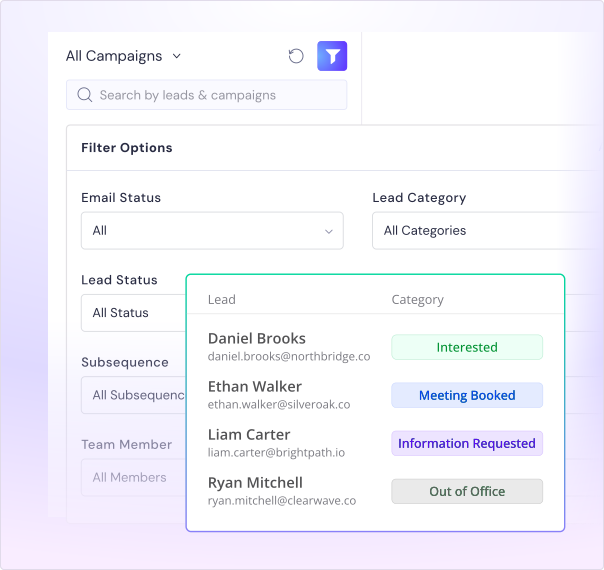
Filter conversations by sender, tag, reply type, campaign, or time.
Apply bulk actions like tag, assign, archive, reply, or forward.
Prioritize hot leads instantly with intent-based filters.
Handle 1000s of replies daily without chaos.
Automated email replies and trigger-based sequences
Respond with Automated Email Replies - No Manual Work.
Detect and tag OOO, bounce, and unsubscribe replies automatically.
Trigger custom workflows when keywords like “interested” appear.
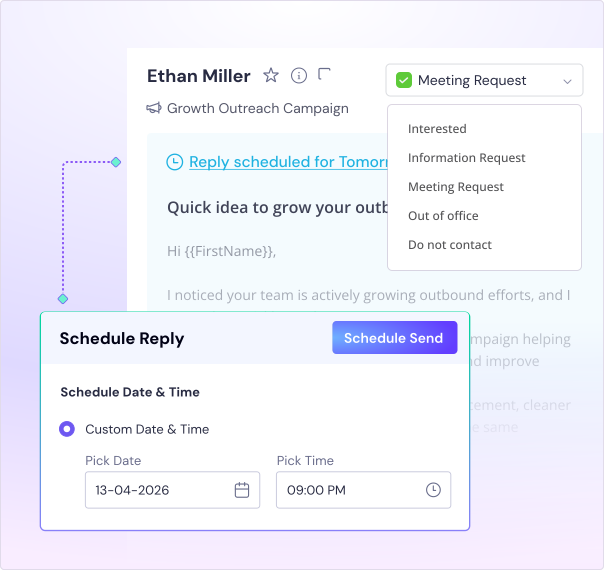
Route leads into follow-up sequences or booking calendars.
Automate first-touch responses or re-engagement based on behavior.
Email management system built for scale
Work across clients in a single agency with client dashboards.
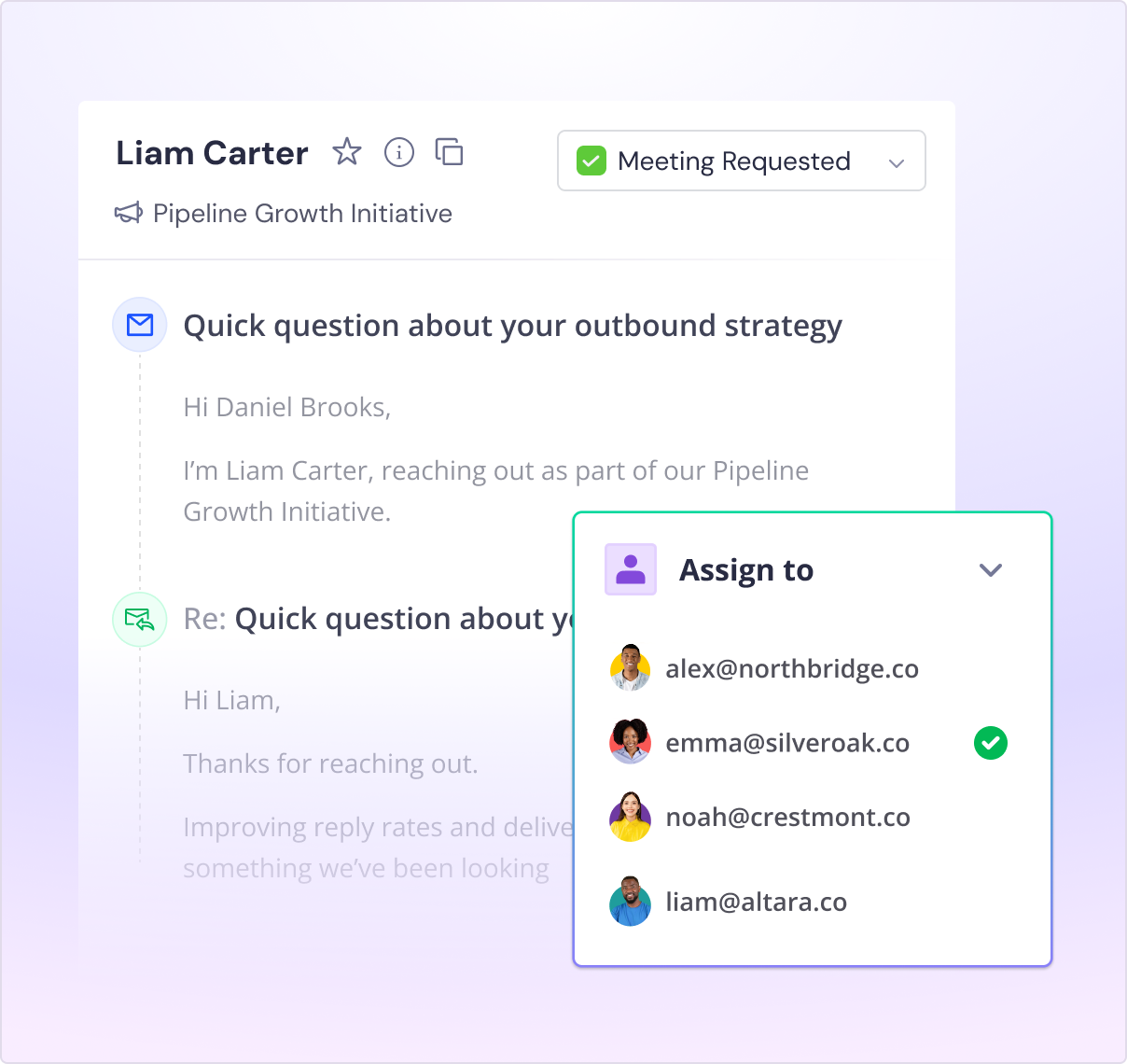
Assign replies to specific teammates for quick resolution.
Add internal comments for lead context and handoffs.
Collaborate in one place instead of scattered inboxes.
Fully white-labeled for agency client dashboard workflows.
Email reporting dashboard with CRM and slack integrations
Track Performance, Sync Data, and Improve Campaigns .
Push replies into your CRM with full thread context.
Get real-time Slack alerts when leads respond or show interest.
Sync data with Google Sheets automatically.
Measure reply volume, bounce rate, OOO trends, and interest levels.

Let’s build your intelligent enterprise outreach engine
Get AI-native operating system for your enterprise sales team
Book a Demo.svg)




.svg)
What our customers say
Founder, StackOptimise
Smartlead's combination of automation, unlimited inboxes, and easy campaign management has completely transformed how we run cold email campaigns.
.jpg)
Founder, Cold Email Hackers

We have about 15 companies and we use Smartlead for all of them.

Founder, DutchSave Media

One of the things I love about using Smartlead is the deliverability feature. If they landed in the bounce or spam folders, we could resolve this quickly.

Co-Founder, Growth Today

I want to continue to use Smartlead to make operations more seamless - the plan is to bring more clients here and build more SOPs.

Founder, FueltoFly

Smartlead listens to the agencies and customers and builds according to what people want, that has really made things easier for us.

Founder, OutboundSync

We build an infrastructure product, and OutboundSync communicates with Smartlead itself. I love the webhook and API. They're really well done and keep getting better.

Founder, Axoleads

With SmartDelivery, you can put all of that in the hands of the tool. It ensures your emails land in inboxes, and by running a simple test, you can see if you're hitting the mark.

Founder, Claygen
Deliverability is the cornerstone of cold email outreach. You could have the best email copy in the world, but if no one is seeing it, it's useless. I really love the feature where you can actually give client accesses to your clients.

Co-Founder, Cymate

I do not want to switch to another software. Pick a solution you trust, stick with it, and keep refining your copy.

CMO, Avalanche Capital

Managing large volumes of emails through multiple inboxes used to be a logistical nightmare. With Smartlead, the process is seamless. We book thousands of discovery calls through cold emails. These campaigns are generating leads at a scale we never thought possible.

Founder, Growth Engine X

We came for the unlimited inboxes, and we stayed for the API. 1.5M cold emails/month, 7,767+ inboxes managed.

Head of Community & Ecosystem, TxtCart

You cannot replace having 10,000 touches with potential clients. When you have that much distribution and reach, you really start to see incredible results. The simplicity of Smartlead made all the difference. It doesn't require you to be a technical wizard.

Founder, Hyperke

Smartlead has been a game-changer for us. It increased our appointment volume, improved ease of use, and offered valuable features. 80% increase in appointments/month, peak of 276 appointments in a single month.

Founder, Kinetyca

Smartlead has been our cold email backbone from day one. The platform evolves constantly, keeping pace with how deliverability and personalization need to work today. 21% overall reply rate, $175K in 4 months for multiple B2B clients.

Founder, Reachflow

Smartlead is centered around deliverability and constantly evolving. Their API is not like any other platform. Smartlead covers all our needs. The focus on core features like deliverability and API integration is unmatched.

CEO, Halfwarm

Our approach to crafting conversational emails led to reply rates that many of my peers thought were unattainable.

Co-Founder, letstrike

We've grown on zero capital, zero marketing, purely cold emailing - and that's the story we love to tell. The best approach is no approach if you can't handle domain meltdown. The second best is something like Smartlead that's built from the ground up for deliverability at scale.

Founder, Fenixtal

Smartlead's white-labeling and automation let us punch above our weight. The 12M euros sales potential? That's what happens when you combine human creativity with Smartlead's precision.

Co-Founder, Digital Creativs

Nine out of 10. Ninety percent of our clients are on Smartlead unless they come in with an existing setup. That's the default.

Co-Founder, BuildingReach

At the end of the day, you have to take a bet on one tool or another. It was a no-brainer taking that bet on Smartlead. We had to even turn down the volume of our marketing campaigns - Smartlead was capable of driving more volume than our sales team was able to fulfill.

Founder & MD, Prospectiv

Since starting the business in January of this year, we've already generated $200K in sales exclusively from cold email. Smartlead has been central to our operations and has exceeded our expectations.

Founder, Growthlynk

There's so much stuff built on top of it. I would be dead if I had to rebuild it with another tool. I can manage hundreds of senders easily. I can send hundreds of thousands of emails.

Founder, Corebits

The platform's HubSpot integration, real-time Slack updates, and advanced campaign customization have been game changers for our business and our clients'.

Founder, Apex Ascension

From day one, we've never used anything else.
Powerful automated workflows that drive sales.
Frequently asked questions
What is a unified inbox?
A unified inbox pulls the replies from all your sending mailboxes into one place, so you read and answer every cold email reply without logging into each account. In Smartlead it also tags replies by intent, lets you filter and bulk-action them, and syncs everything to your CRM.
What is the difference between a unified inbox and a shared inbox?
A shared inbox is usually one mailbox a team works from together, often for support. A unified inbox brings replies from many sending accounts into one view, which is what cold email needs when you send from dozens of mailboxes. Smartlead does both: it unifies every mailbox and lets your team work the same inbox.
Can I assign replies to specific teammates?
Yes. Assign any reply to a teammate in one click, add a note, and it stays with that person until it is resolved. It keeps a busy inbox organized when reply volume is high.
Does it sync replies to my CRM and Slack?
Yes. Push replies into your CRM with the full thread, get real-time Slack alerts when a lead responds or shows interest, and sync data to Google Sheets automatically so your reporting stays current.
How do I manage replies from multiple email accounts in one inbox?
Connect your mailboxes and every reply lands in one master inbox, with no account switching. You see all conversations across campaigns and clients from a single login, and you can filter by sender, campaign, tag or reply type to find what matters fast.
Can my whole team or agency work from one inbox?
Yes. Your team works from one shared view, and agencies can run each client in its own dashboard, fully white-labeled. Assign replies to teammates, leave internal notes for context, and hand off leads without anything slipping.
How do you stop two reps replying to the same lead?
Assign each conversation to one teammate so ownership is clear, and everyone sees who is handling what in the same inbox. Internal notes keep the context on the lead, so two people are not working the same reply blind.
Do replies show up in real time?
Yes. Replies appear in the inbox in real time across all your accounts, so you can jump on hot leads while they are still warm instead of finding them hours later.