Cold Email

Why Your Cold Email Campaign Stops Sending (And How to Diagnose It)

Satwick Ghosh
7
Min
Published On
March 25, 2026
Updated On :
March 25, 2026
Recreated On:
This is some text inside of a div block.

Heading

This is some text inside of a div block.
Min
Created On:
This is some text inside of a div block.
Updated On:
This is some text inside of a div block.

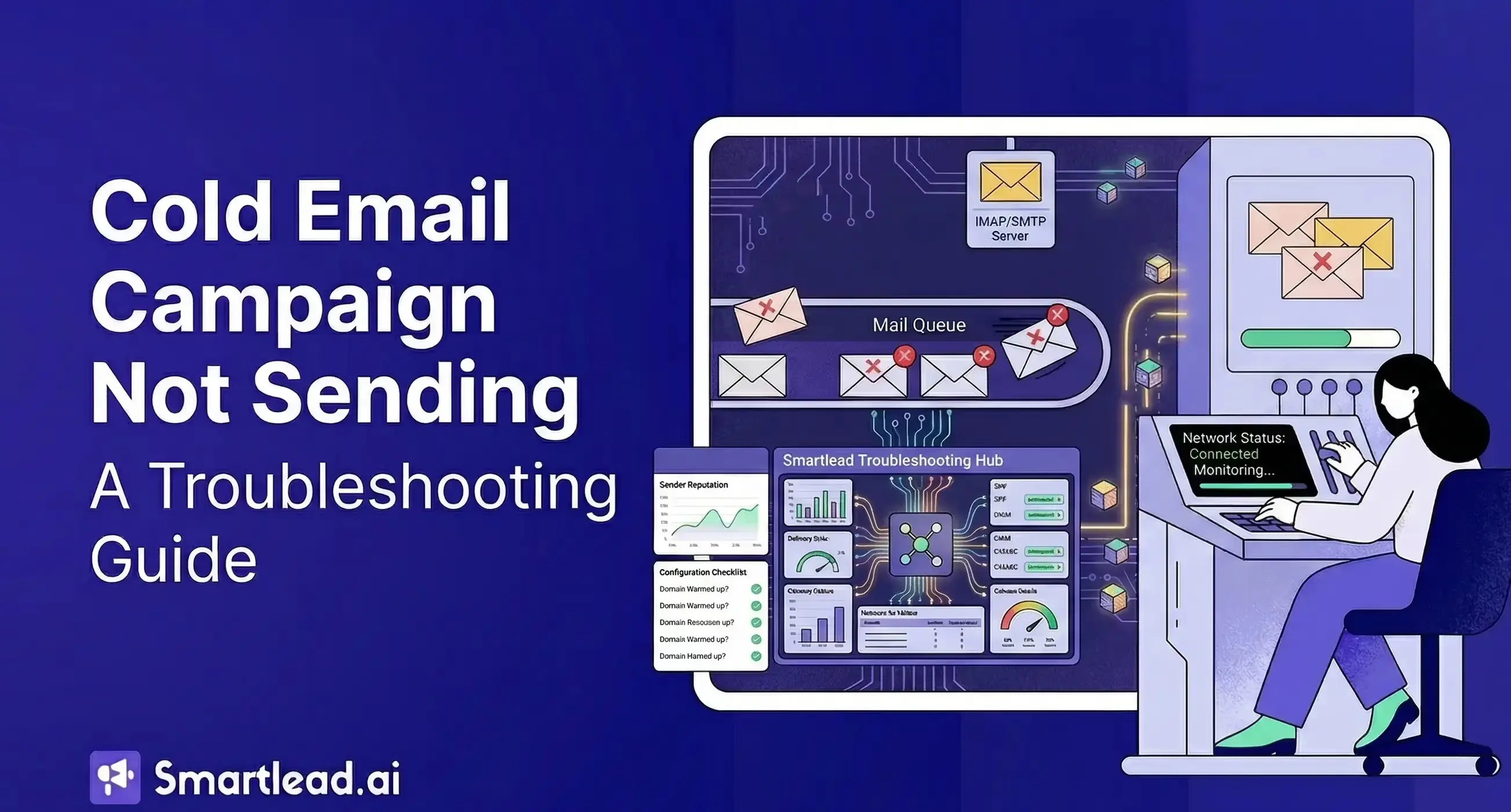
You set up your campaign, hit launch, and everything looks fine. Active status. Assigned accounts. Leads loaded. You check back two days later, and nothing has gone out.

No error. No notification. Just zero sends.

We analyzed 600+ real customer support tickets and talked to our agency partners to understand what are some of the common problems cold email marketers face. Silent campaign failure is the #1 reported issue, and most users don't catch them for 24–72 hours.

So by the time you identify the damage has been done. Your leads have gone cold, follow-up windows have closed, and the whole sequence is off-schedule.

TLDR

What's happening: Your campaign status says "Active" but the platform isn't dispatching emails. This is different from a paused campaign — it's a campaign that is technically running but blocked by an unmet condition.
The 7 root causes, ranked by frequency: Daily limits already reached across shared accounts → All accounts disconnected or flagged → No eligible leads at the current sequence step → Send window or timezone misconfigured → Sequence step conditions blocking advancement → Platform-level throttling → Warmup conflict or account in recovery mode.
How to diagnose it: Run the 8-step checklist in Section 3. Most failures are identified by step 4. The whole process takes under 10 minutes.
If you're on Smartlead: Start with the campaign's Email Accounts tab (check Sent Today vs. daily limit per mailbox), then Campaign Settings → Schedule (confirm right now is inside the active window in the correct timezone), then the Leads tab filtered by current step and Scheduled status.

This guide covers every known root cause of campaigns that stop sending. The cases are ranked by how often they actually appear as support queries. It includes a step-by-step diagnostic checklist you can run in under 10 minutes.

How does cold email actually work?

Before you can diagnose a failure, you need to understand what's supposed to happen when a campaign sends. The reason is simple - when you know the sending model you can catch what might go wrong faster.

How does a campaign send jobs queued and executed?

When a campaign is set to "Active," the platform doesn't blast all your emails at once. Rather, your emails get queued.

Each lead in the sequence is assigned a scheduled send time based on your configured send window.

Two things get considered here: 1. the number of email accounts assigned to it, 2. the daily limits you've set per account.

After that, the queue is processed continuously. As each scheduled send time arrives, the platform picks the lead, selects an available sending account with remaining daily capacity, and dispatches the email.

If no account has remaining capacity or if no lead is eligible at that moment the queue sits and waits.

That's is when campaigns can appear active but produce zero sends: the queue exists, the campaign is technically running, but every execution attempt finds no eligible combination of lead + account + capacity.

The role of email accounts, daily limits, and send windows

Three inputs determine how many emails actually go out in a given day:

1. Email accounts assigned- the number of inboxes connected to the campaign

2. Daily limit per account- how many emails each inbox is allowed to send in 24 hours

3. Send window- the time range during which sends are permitted (e.g., 9am to 5pm, Monday to Friday)

If you have 5 accounts each capped at 50 emails/day, your theoretical maximum is 250 emails/day, but only within the active send window. Outside those hours, nothing goes out, and the quota resets at midnight.

What "Active" status actually means vs. "sending"?

"Active" means the campaign is enabled and eligible to send. It does not mean sending is happening right now.

Think of it as the difference between a store being "open" and having customers.

A store can be open with no one walking through the door. An active campaign can have zero sends in progress if every lead is scheduled for later, every account is at its daily limit, or it's currently outside the send window.

What are the difference between a paused, stuck, and throttled campaign?

  • Paused: You or the system explicitly stopped the campaign. No sends will go out until it's resumed.
  • Stuck: The campaign is active, but internal conditions prevent any lead from advancing to the next sequence step. Often caused by misconfigured wait times or step conditions.
  • Throttled: The platform is intentionally slowing or capping your sends to protect deliverability. The campaign is running, but at a fraction of your expected rate.

Each of these has different symptoms and different fixes. The sections below cover all three.

What it looks like Paused Stuck Throttled
Status shown Paused (visible) Active (silent) Active (silent)
Sends going out? No No Yes, but far below expected
Common cause Manual stop, bounce threshold hit, or reply detection triggered Daily limits exhausted, no eligible leads, send window mismatch, bad step conditions Platform deliverability protection, high bounce rate, warmup conflict
Error shown? Sometimes (with reason) Never Never
First thing to check Hit Resume; check why it paused Run the 8-step diagnostic checklist Check bounce rate in Analytics; reduce concurrent volume

The 7 root causes of campaigns not sending

These are ordered by how frequently they appear in real support escalations.

1. Email account daily limits already reached

One of the most common cause that we've seen with a lot of users is that they've set a daily limit per account, say 50.And, the campaign has already hit that limit earlier in the day. From that point on, no more emails go out until the limit resets, typically at midnight.

This happens when you have multiple active campaigns sharing the same email accounts. Campaign A consumed 40 of your 50 daily sends before Campaign B even started. Campaign B finds only 10 slots available, sends 10, and then stops. You look at Campaign B and see almost no activity, but nothing is technically wrong.

How to check: Look at the "Sent Today" count for each assigned account, not just the campaign-level total. If accounts are at or near their daily cap, that's your answer.

If you are a Smartlead user,

  1. Open your campaign and go to the Email Accounts tab
  2. Check the Sent Today column for each assigned mailbox
  3. Compare it against each mailbox's daily limit; navigate to Email Accounts → [mailbox] → Settings
  4. If any mailbox is at or near its cap, that's the cause

Fix: Either stagger your campaign schedules so they draw on daily capacity at different times, increase per-account daily limits if your warmup allows it, or add more sending accounts to distribute load.

Smartlead tip: Go to the campaign's Email Accounts tab → Add Email Account to bring in additional mailboxes. To avoid quota competition, adjust the send window start times across campaigns so they pull from daily capacity at different hours.

2. All email accounts are disconnected or flagged

Disconnected accounts are quiet killers. An account can lose its connection due to a password change, an OAuth token expiring, a security alert from the email provider, or a two-factor authentication prompt and you won't always get a notification.

When all accounts assigned to a campaign are disconnected, the campaign has nowhere to send from. It stays "active" in status while producing nothing. No error banner, no email notification, but send activity drops to zero. Checking the account health panel shows a warning or "reconnection required" state.

On Smartlead:

  1. Go to Email Accounts in the left sidebar
  2. Look for any mailbox showing a warning icon, a red status indicator, or a Reconnect prompt
  3. Cross-reference with your campaign's Email Accounts tab to confirm which assigned mailboxes are affected

How to fix: Before launching any campaign, run a manual health check on every assigned account. Reconnect any that show as disconnected. Set up inbox health monitoring if your platform supports it so you're alerted the moment a connection drops.

To reconnect in Smartlead: Click the affected mailbox in Email Accounts and re-authenticate via Google/Microsoft OAuth or re-enter your SMTP credentials.

Once reconnected, verify the campaign's Email Accounts tab shows a healthy status before expecting sends to resume.

3. The campaign has no eligible leads left

A campaign can stop sending simply because it's run out of leads who are eligible to receive the next email.

Leads become ineligible when they've already received all steps in the sequence (completed), replied to an email (replied and you likely have auto-pause on reply enabled), unsubscribed, or been marked as bounced. If every lead in your campaign falls into one of these buckets, the campaign is effectively done, even if it still shows as active.

This is easy to miss because the lead count at the campaign level looks fine. But the count at the current sequence step might be zero.

How to check: Filter your lead view by "current step" and look at how many leads are sitting at each step awaiting the next send. If step 2 shows 0 eligible leads, that step will never fire.

In Smartlead:

  1. Open the campaign and go to the Leads tab
  2. Use the Filter dropdown to filter by Lead Status and Current Sequence Step
  3. Look for leads with Scheduled or In Progress status at the step you expect to be active
  4. A count of zero here confirms the lead pool is exhausted at that step

Fix: Review the lead status breakdown. If leads are marked replied, that means your outreach is working. If they're marked completed, consider whether you need to add additional sequence steps or upload a new lead batch.

Smartlead users can add new leads via the campaign's Leads tab → Import Leads, and extend the sequence in the Sequence tab by appending new steps with appropriate wait times.

4. Send window or timezone misconfiguration

Your campaign is set to send Monday to Friday, 9am to 5pm. But whose 9am are we talking about?

Timezone mismatches between your account settings and the actual send window are more common than they should be, especially in teams where the platform account is set to one timezone but the person configuring campaigns is in another.

If your send window is misconfigured to a timezone that's hours ahead of your current time, your campaign may only have a 1-hour active window per day instead of 8. Or none at all, if the window has already passed by the time you check.

How to check: Open the campaign settings, look at the send window, and cross-reference the timezone against your current local time. Is right now inside the window? If not, that's why nothing is sending.

On Smartlead:

  1. Open the campaign and go to Settings → Schedule
  2. Check the Send Window hours and the Timezone field
  3. Convert the window to your current local time confirm right now it falls within the active hours
  4. Also, verify the Days setting. If weekday-only is selected and today is a weekend, no sends will go out

Fix: Update the send window timezone to match your leads' working hours (or your own, if you prefer). Remember that the goal is to land emails during business hours for the recipient, not the sender.

Smartlead tip: If the window is too narrow and constraining your daily volume, widen the active hours in Campaign Settings → Schedule so Smartlead has more time to distribute your quota across the day.

5. Sequence step misconfiguration

This are common, and even happens to the cold email pros. A misconfigured step condition or an unexpectedly large wait time between steps can make a campaign appear stuck for days.

Common examples:

  • Wait time too large: You set "send step 2 after 30 days" when you meant 3 days. Step 2 won't fire for a month.
  • Condition logic blocking advancement: You set "only send step 3 if the lead did NOT open step 2" but opens are being tracked and miscounted, so the condition never evaluates as true.
  • Branching logic dead ends: In multi-branch sequences, a lead lands in a branch that has no further steps and just sits there.

How to check: Open the sequence editor and read every step's conditions and wait times explicitly. Don't skim, rather look at each one as if you're seeing it for the first time. Run a test lead through the sequence manually if possible.

If you are a Smartlead user:

  1. Go to the Sequence tab and click into each step
  2. Review the Wait Time and any Conditions configured on that step
  3. Pay close attention to open- or click-based conditions. Security gateways often trigger false opens, blocking advancement for the majority of leads
  4. For A/B variants, confirm every variant has a complete subject line and body

Fix: Correct the wait times and condition logic. If a branch has no exit, add steps or redirect leads to the main sequence.

For audiences where open tracking is unreliable, common in enterprise switch step conditions from open-based to reply-based directly in Smartlead's Sequence tab. Reply-based conditions are far more dependable.

6. Platform-level throttling or rate limiting

Some sending failures aren't caused by anything you configured, they're triggered by the platform's own deliverability protection mechanisms.

When too many accounts from the same platform push high volume simultaneously, or when a cluster of accounts starts seeing elevated bounce or complaint rates, the platform may automatically throttle outbound sends to protect the overall sending infrastructure.

This is good behavior, it prevents one bad actor from tanking deliverability for everyone, but it can slow or stop your campaign without a clear user-facing explanation.

Signs this is happening: Your sends drop sharply relative to your configured limits, but your accounts all show as connected and your leads are eligible. The send rate recovers after a few hours.

Fix: This typically resolves itself. If it's happening repeatedly, review your bounce rate and reply rate to make sure your lists are clean and your content isn't triggering complaints. Contact support with your account details if throttling is persistent.

In Smartlead, start with the campaign's Analytics tab, if bounce rate is climbing above 3–4%, clean the list and re-import before expecting sends to normalize. Persistent throttling without a list quality explanation is worth raising with Smartlead support directly via the in-app widget, with your campaign ID and the affected time range.

7. Warmup conflict or account in recovery mode

Email accounts in active warmup operate under different rules than fully warmed accounts. Warmup processes manage outbound volume carefully to build sender reputation which means they can't simultaneously carry a full campaign load.

If you've assigned a warmup account to a live campaign, the effective outbound capacity is lower than you expect. In some configurations, the system will auto-throttle outbound campaign sends from that account to protect the warmup ramp.

Similarly, accounts that have been flagged as at-risk (elevated bounce rate, spam complaints, provider warnings) may be automatically throttled until the reputation recovers.

Fix: Keep warmup accounts and live campaign accounts separate. Use fully warmed accounts, typically those that have completed a 4–6 week warmup ramp for active campaigns. Monitor account health scores and remove at-risk accounts from campaigns until they recover.

In Smartlead:

  1. Open any mailbox assigned to the affected campaign via Email Accounts
  2. Check whether the Warmup toggle is on, if so, don't use this mailbox for live sends at full capacity
  3. Check the Health Score, anything below the healthy threshold means the mailbox may be in a protected state
  4. Disable warmup only after the mailbox has completed its full ramp, then assign it to campaigns at its configured daily limit

The diagnostic checklist (step-by-step)

Run through this in order. Most campaign failures are identified by step 4.

Diagnostic checklist — run in order

1

Confirm the campaign status shows "Active" not "Paused"

Campaigns can be auto-paused by reply detection, bounce thresholds, or manual intervention you may have forgotten.

In Smartlead: check the status badge on the Campaigns dashboard. If Paused, hit Resume and monitor for 30 minutes.

2

Check how many email accounts are assigned and their daily limit totals

Add up per-account daily limits. If other campaigns share those accounts, your effective capacity is lower than the number suggests.

In Smartlead: Email Accounts tab on the campaign shows all assigned mailboxes and their limits.

3

Check each account's connection status

Look for disconnection warnings, authentication errors, or reconnection prompts. Any disconnected account is a dead lane.

In Smartlead: Email Accounts sidebar flags disconnected mailboxes with a warning icon.

4

Verify the current send window includes right now

Confirm the current time in the configured timezone falls within the window. If you're outside the window, the campaign isn't broken — it's waiting.

In Smartlead: Campaign Settings → Schedule. Check both timezone and active hours.

5

Check the lead count at the current sequence step

If the count of scheduled leads at the expected step is zero, the lead pool is exhausted there.

In Smartlead: Leads tab → filter by Current Sequence Step and status Scheduled.

6

Review the step conditions and wait times

Look for misconfigured wait times, condition logic blocking advancement, or branches without exits.

In Smartlead: Sequence tab → click through each step. Flag oversized wait times and open-based conditions.

7

Check the campaign's sent count over the past 24 hours vs. expected

Some emails but far fewer than expected → capacity or throttling issue. Zero emails → account, window, or eligibility issue.

In Smartlead: Analytics tab shows sent count over time.

8

Contact support with this specific information

Reach out with: campaign ID, daily limit total across assigned accounts, account health status for each inbox, send window settings, and lead count at the current step.

In Smartlead: in-app support widget, bottom-right of the dashboard.

How to Set Up Monitoring So You Catch Failures in Under an Hour?

The best fix for silent campaign failures is catching them before they cost you a full day of pipeline.

What a daily campaign health check looks like for solo operators

Build a 5-minute morning routine: open your campaigns dashboard, check the "Sent Yesterday" column against your expected daily volume, and look at account health status for any warnings. If sent volume is below 80% of expected, investigate.

Set a calendar reminder. Do it before you start writing emails or sitting on calls. It takes less time than you think.

If you are on Smartlead, the Campaigns dashboard shows per-campaign send volume at a glance. Combine that with a quick scan of Email Accounts for connection warnings, and the whole check takes under 3 minutes.

For Agencies: How to Build a Monitoring Routine Across Multiple Client Campaigns

At agency scale, manual checks don't cut it. Build a daily summary view, either natively in the platform or via a simple reporting export that shows sent volume by campaign and by client. Any campaign that sent zero or near-zero in the last 24 hours gets flagged for investigation before the daily standup.

Assign ownership. Every client campaign should have a named person responsible for checking health daily. When everyone is responsible, no one is.

Smartlead tip: The Smartlead API exposes campaign stats, making it straightforward to pull sent volume across all client accounts into a Slack alert or lightweight dashboard on a daily schedule. Smartlead also supports webhooks for campaign auto-pause events; use them to get notified immediately rather than catching it during a manual check.

Recommended alert setup

Most cold email platforms support webhook notifications and daily summary emails.

Use them:

  • Webhook on campaign pause: Get an immediate notification any time a campaign auto-pauses for any reason.
  • Daily summary email: A digest of sent volume, reply rates, and account health across all active campaigns.
  • Account disconnection alert: Immediate notification if any connected inbox loses its authentication.

If your platform doesn't support native alerts for the conditions you care about, a simple daily check via the API into a Slack channel is straightforward to build and worth the setup time.

Smartlead's webhook configuration lives under Settings → Webhooks. Campaign auto-pause is one of the most useful events to subscribe to; it fires the moment a campaign stops, rather than waiting for you to notice. Mailbox disconnection alerts, if available on your plan, are under Settings → Notifications.

What are the red flags you must watch out before your campaign fully stops?

These are the early warning signs that a campaign is heading for trouble:

  • Send volume declining day-over-day with no change in your settings- usually indicates accounts being throttled or lead pool shrinking
  • Reply rate dropping sharply- can indicate deliverability issues that will eventually trigger platform throttling
  • Account health warnings appearing- on any assigned inbox
  • Bounce rate climbing above 3% - a signal your list quality is declining and the platform may start protecting itself

Catch these early and you can correct course before the campaign stops entirely.

Real examples of Silent Campaign Failures

"Campaign set to 250/day, only 60 went out"

The campaign had 5 accounts assigned, each with a 50-email daily limit correct math for 250. But three of the five accounts were also assigned to another campaign that ran earlier in the day. By the time this campaign's send window opened, those three accounts had already exhausted their daily quota. Only two accounts were available, producing 100 potential sends, and because part of the day's window had already passed, only 60 actually went out.

Fix: Dedicate accounts to campaigns or stagger send windows so campaigns don't compete for the same quota within the same day.
In Smartlead, the Email Accounts tab on each campaign shows exactly which mailboxes are shared. Staggering send windows in Campaign Settings → Schedule is the fastest way to stop campaigns from stepping on each other's quotas.

"Campaign showed Active but zero sends for 48 hours"

All accounts showed connected. Daily limits were untouched. Lead pool was full. The culprit: a timezone misconfiguration. The send window was set to 9am–5pm in a timezone 7 hours ahead of the user's actual location. By the time the user was at their desk, the send window had already closed for the day. The campaign had been attempting to send in the middle of the night local time, finding no issue with the configuration itself.

Fix: Check timezone settings whenever a campaign is set up by someone in a different location than the account owner.
This is a one-field fix in Smartlead: Campaign Settings → Schedule → Timezone. Worth verifying any time you duplicate a campaign that was originally built for some different location.

"Second email in sequence paused for no apparent reason"

Step 1 sent fine. Step 2 sent to about 30% of leads. The rest were stuck. Digging into the sequence settings revealed that Step 2 had a condition: "Only send if lead did NOT open Step 1." Open tracking was enabled, and about 70% of leads were being recorded as having opened Step 1. The condition was working exactly as configured. The user had forgotten they'd set it up that way.

Fix: Review your step conditions any time a sequence is advancing unevenly across leads. The logic is often doing exactly what you told it to.

In Smartlead's Sequence tab, clicking Step 2 and reviewing the Conditions panel would have surfaced this immediately. For enterprise audiences where security gateways trigger false opens at scale, reply-based conditions are the more reliable alternative.

Conclusion

Most cold email campaign failures are diagnosable in under 10 minutes once you know where to look. The majority come down to one of three categories: capacity issues (accounts at their daily limit), eligibility issues (no leads ready to receive the next step), or configuration issues (send window, step conditions, or wait times set incorrectly).

The checklist in Section 3 covers all of them. Run it in order, and you'll identify the cause before you've finished your morning coffee.

The longer-term solution is monitoring. Set up alerts, build a daily health check habit, and watch for the early warning signs before a campaign stops entirely. Silent failures only stay silent when no one is watching.

Running campaigns at scale? Don't wait for a failure to find out.

Smartlead has campaign health monitoring, account status alerts, and deliverability protection built in — so silent failures get caught before they cost you pipeline.

Start free trial →

FAQs

1. Why does my campaign show as "active" but no emails are going out?

"Active" means the campaign is enabled, not that it's currently sending. The most common causes are: all assigned accounts have hit their daily send limits, the current time is outside your configured send window, or all leads at the current sequence step are ineligible (replied, unsubscribed, or completed). Run through the diagnostic checklist in this guide to identify which applies.

2. Can a campaign stop sending if my email accounts hit their daily limits?

Yes, this is the most frequent cause of unexpected send gaps. Each connected inbox has a daily cap. Once it's reached, no more emails go out from that account until midnight resets the quota. If all accounts are capped, the campaign produces zero sends for the rest of the day. Check the "Sent Today" count per account to confirm.

3. What's the difference between a paused campaign and a stuck campaign?

A paused campaign has been explicitly stopped by you, by a reply detection trigger, or by a bounce threshold being hit. It won't send until resumed. A stuck campaign is technically active but can't advance any leads to the next step usually due to misconfigured step conditions, empty lead pools at the current step, or all accounts being at capacity. The campaign looks fine but produces no output.

4. Do unsubscribes or bounces cause a campaign to stop sending?

Not to all leads only to the affected leads. An unsubscribed lead is removed from the sequence and won't receive further emails. A hard bounce similarly marks that lead as inactive. However, if your campaign has a bounce rate threshold configured, hitting that threshold can auto-pause the entire campaign as a deliverability protection measure.

5. Why did my campaign send only 60 emails when it's set to 250?

The most likely causes: multiple campaigns sharing the same sending accounts, with another campaign consuming most of the daily quota first; only part of the send window remaining by the time the campaign runs; or some accounts being disconnected or throttled. Check the per-account "Sent Today" figures rather than the campaign-level total.

6. Can timezone settings affect when campaigns send?

Significantly. If your send window is configured in a different timezone than you expect, your campaign may be sending at the wrong time or have a much shorter active window than intended. Always verify the timezone setting against your intended send hours, especially if the account was set up by someone in a different location.

7. What should I check first when a campaign suddenly stops mid-sequence?

Start with account health. A disconnected inbox is the fastest path to a full stop. Then check the send window confirm right now falls within the active hours in the correct timezone. Then check lead eligibility at the current step. In that order, you'll find the cause more than 80% of the time.

8. Does archiving email accounts mid-campaign cause sending to halt?

Yes. If you archive or remove an inbox that's assigned to a live campaign, that account's capacity disappears immediately. If it was your only sending account for that campaign, all sends stop. If you need to retire an inbox, reassign the campaign to a healthy account first, then archive the old one.

Table of Content

Share this article

Author’s Details

Satwick Ghosh

Satwick Ghosh is an SEO and content marketing expert with over 7 years of experience. As a writer and strategist, he helps brands grow their online visibility with effective SEO writing techniques.

linkdin-icon

Edited by:

Lorem ipsum dolor sit amet, consectetur adipiscing elit. Suspendisse varius enim in eros elementum tristique. Duis cursus, mi quis viverra ornare, eros dolor interdum nulla, ut commodo diam libero vitae erat. Aenean faucibus nibh et justo cursus id rutrum lorem imperdiet. Nunc ut sem vitae risus tristique posuere.

powerful-icon-3

Subscribe to get all our latest blogs

Join us to elevate your outreach!

Thank you! Your submission has been received!
Oops! Something went wrong while submitting the form.

Frequently asked questions

General Questions

What is Smartlead's cold email outreach software?

Email automation FAQs- Smartlead

Smartlead's cold email outreach tool helps businesses scale their outreach efforts seamlessly. With unlimited mailboxes, fully automated email warmup functionality, a multi-channel infrastructure, and a user-friendly unibox, it empowers users to manage their entire revenue cycle in one place. Whether you're looking to streamline cold email campaigns with automated email warmups, personalization fields, automated mailbox rotation, easy integrations, and spintax, improve productivity, or enhance scalability with subsequences based on lead’s intentions, automated replies, and full white-label experience, our cold email tool implifies it in a single solution.

What is Smartlead, and how can it enhance my cold email campaigns?

Email automation FAQs- Smartlead

Smartlead is a robust cold emailing software designed to transform cold emails into reliable revenue streams. Trusted by over 31,000 businesses, Smartlead excels in email deliverability, lead generation, cold email automation, and sales outreach. A unified master inbox streamlines communication management, while built-in email verification reduces bounce rates.
Additionally, Smartlead offers essential tools such as CNAME, SPF Checker, DMARC Checker, Email Verifier, Blacklist Check Tool, and Email Bounce Rate Calculator for optimizing email performance. 

How does Smartlead's unlimited mailboxes feature benefit me?

Email automation FAQs- Smartlead

Our "unlimited mailboxes" feature allows you to expand your email communications without restrictions imposed by a mailbox limit. This means you won't be constrained by artificial caps on the number of mailboxes you can connect and use. This feature makes Smartlead the best cold email software and empowers you to reach a wider audience, engage with more potential customers, and manage diverse email campaigns effectively.

How does Smartlead, as a cold emailing tool, automate the cold email process?

Email automation FAQs- Smartlead

Smartlead’s robust cold email API and automation infrastructure streamline outbound communication by transforming the campaign creation and management processes. It seamlessly integrates data across software systems using APIs and webhooks, adjusts settings, and leverages AI for personalised content.

The cold emailing tool categorises lead intent, offers comprehensive email management with automated notifications, and integrates smoothly with CRMs like Zapier, Make, N8N, HubSpot, Salesforce, and Pipedrive. Smartlead supports scalable outreach by rapidly adding mailboxes and drip-feeding leads into active campaigns Sign Up Now!

What do you mean by "unibox to handle your entire revenue cycle"?

Email automation FAQs- Smartlead

The "unibox" is one of the unique features of Smartlead cold email outreach tool, and it's a game-changer when it comes to managing your revenue cycle. The master inbox or the unibox consolidates all your outreach channels, responses, sales follow-ups, and conversions into one centralized, user-friendly mailbox.

With the "unibox," you gain the ability to:
1. Focus on closing deals: You can now say goodbye to the hassle of logging into multiple mailboxes to search for replies. The "unibox" streamlines your sales communication, allowing you to focus on what matters most—closing deals.

2. Centralized lead management: All your leads are managed from one central location, simplifying lead tracking and response management. This ensures you take advantage of every opportunity and efficiently engage with your prospects.

3. Maintain context: The "unibox" provides a 360-degree view of all your customer messages, allowing you to maintain context and deliver more personalized and effective responses.

How does Smartlead ensure my emails don't land in the spam folder?

Email automation FAQs- Smartlead

Smartlead, the best cold email marketing tool, ensures your emails reach the intended recipients' primary inbox rather than the spam folder. 

Here's how it works:
1. Our "unlimited warmups" feature is designed to build and maintain a healthy sending reputation for your cold email outreach. Instead of sending a large volume of emails all at once, which can trigger spam filters, we gradually ramp up your sending volume. This gradual approach, combined with positive email interactions, helps boost your email deliverability rates.

2. We deploy high-deliverability IP servers specific to each campaign. 

3. The ‘Warmup’ feature replicates humanized email sending patterns, spintax, and smart replies.
 
4. By establishing a positive sender reputation and gradually increasing the number of sent emails, Smartlead minimizes the risk of your emails being flagged as spam. This way, you can be confident that your messages will consistently land in the primary inbox, increasing the likelihood of engagement and successful communication with your recipients.

Can Smartlead help improve my email deliverability rates?

Email automation FAQs- Smartlead

Yes, our cold emailing software is designed to significantly improve your email deliverability rates. It enhances email deliverability through AI-powered email warmups across providers, unique IP rotating for each campaign, and dynamic ESP matching.
Real-time AI learning refines strategies based on performance, optimizing deliverability without manual adjustments. Smartlead's advanced features and strategies are designed to improve email deliverability rates, making it a robust choice for enhancing cold email campaign success.

What features does Smartlead offer for cold email personalisation?

Email automation FAQs- Smartlead

Smartlead enhances cold email personalisation through advanced AI-driven capabilities and strategic integrations. Partnered with Clay, The cold remaining software facilitates efficient lead list building, enrichment from over 50 data providers, and real-time scraping for precise targeting. Hyper-personalised cold emails crafted in Clay seamlessly integrate with Smartlead campaigns.

Moreover, Smartlead employs humanised, natural email interactions and smart replies to boost engagement and response rates. Additionally, the SmartAI Bot creates persona-specific, high-converting sales copy. Also you can create persona-specific, high-converting sales copy using SmartAI Bot. You can train the AI bot to achieve 100% categorisation accuracy, optimising engagement and conversion rates.

Can I integrate Smartlead with other tools I'm using?

Email automation FAQs- Smartlead

Certainly, Smartlead cold email tool is designed for seamless integration with a wide range of tools and platforms. Smartlead offers integration with HubSpot, Salesforce, Pipedrive, Clay, Listkit, and more. You can leverage webhooks and APIs to integrate the tools you use. Try Now!

Email automation FAQs- Smartlead

Is Smartlead suitable for both small businesses and large enterprises?

Smartlead accommodates both small businesses and large enterprises with flexible pricing and comprehensive features. The Basic Plan at $39/month suits small businesses and solopreneurs, offering 2000 active leads and 6000 monthly emails, alongside essential tools like unlimited email warm-up and detailed analytics.

Marketers and growing businesses benefit from the Pro Plan ($94/month), with 30000 active leads and 150000 monthly emails, plus a custom CRM and active support. Lead generation agencies and large enterprises can opt for the Custom Plan ($174/month), providing up to 12 million active lead credits and 60 million emails, with advanced CRM integration and customisation options.

Email automation FAQs- Smartlead

What type of businesses sees the most success with Smartlead?

No, there are no limitations on the number of channels you can utilize with Smartlead. Our cold email tool offers a multi-channel infrastructure designed to be limitless, allowing you to reach potential customers through multiple avenues without constraints.

This flexibility empowers you to diversify your cold email outreach efforts, connect with your audience through various communication channels, and increase your chances of conversion. Whether email, social media, SMS, or other communication methods, Smartlead's multi-channel capabilities ensure you can choose the channels that best align with your outreach strategy and business goals. This way, you can engage with your prospects effectively and maximize the impact of your email outreach.

Email automation FAQs- Smartlead

How can Smartlead integrate with my existing CRM and other tools?

Smartlead is the cold emailing tool that facilitates seamless integration with existing CRM systems and other tools through robust webhook and API infrastructure. This setup ensures real-time data synchronisation and automated processes without manual intervention. Integration platforms like Zapier, Make, and N8N enable effortless data exchange between Smartlead and various applications, supporting tasks such as lead information syncing and campaign status updates. Additionally, it offers native integrations with major CRM platforms like HubSpot, Salesforce, and Pipedrive, enhancing overall lead management capabilities and workflow efficiency. Try Now!

Email automation FAQs- Smartlead

Do you provide me with lead sources?

No. Smartlead distinguishes itself from other cold email outreach software by focusing on limitless scalability and seamless integration. While many similar tools restrict your outreach capabilities, Smartlead offers a different approach.

Here's what makes us uniquely the best cold email software:

1. Unlimited Mailboxes: In contrast to platforms that limit mailbox usage, Smartlead provides unlimited mailboxes. This means you can expand your outreach without any arbitrary constraints.

2. Unique IP Servers: Smartlead offers unique IP servers for every campaign it sends out. 

3. Sender Reputation Protection: Smartlead protects your sender reputation by auto-moving emails from spam folders to the primary inbox. This tool uses unique identifiers to cloak all warmup emails from being recognized by automation parsers. 

4. Automated Warmup: Smartlead’s warmup functionality enhances your sender reputation and improves email deliverability by maintaining humanised email sending patterns and ramping up the sending volume. 

Email automation FAQs- Smartlead

How secure is my data with Smartlead?

Ensuring the security of your data is Smartlead's utmost priority. We implement robust encryption methods and stringent security measures to guarantee the continuous protection of your information. Your data's safety is paramount to us, and we are always dedicated to upholding the highest standards of security.

How can I get started with Smartlead?

Email automation FAQs- Smartlead

Getting started with Smartlead is straightforward! Just head over to our sign-up page and follow our easy step-by-step guide. If you ever have any questions or need assistance, our round-the-clock support team is ready to help, standing by to provide you with any assistance you may require. Sign Up Now!

How can I reach the Smartlead team?

Email automation FAQs- Smartlead

We're here to assist you! You can easily get in touch with our dedicated support team on chat. We strive to provide a response within 24 hours to address any inquiries or concerns you may have. You can also reach out to us at support@smartlead.ai

What our customers say

Bojan Najdov

Founder, Lambda Group

“The best outbound email marketing software. Customer support - they are so responsive and helpful Features - you can add multiple email domains to the same account.”

David Borman

Senior Account Executive, Key Outreach

"Intuitive. Game-Changing. POWERFUL. Analytics, spintax, A/B testing, quick personalization. This is a game changer if you send cold email campaign. Grateful to this team for building a product that has changed our day to day. 🚀"

Eden Einav

Account Executive, B.I.G. Charity Law Group Professional Corporation

“Hands down the best cold email software. Smartlead is amazing, this is the best tool if you want to cold email at scale and land in the inbox. The team is super responsive with great support. While there is a learning curve to cold email, they really built a great foundation to make it as simple as possible. I am sending over 2k emails a day!!! absolute game changer for my business.”

Ryane Tully

Co-founder, Pitchlane

“Innovative, reliable, and Suitable For Technical and Non-Technical Users. SmartLead's ability to help me land in the primary inbox and automate the laborious parts of my workflow is brilliant. The customer support is incredibly good, I've had some great feedback on my cold email campaigns.”

Romain Osman

Co-Founder, Five Element

“Smartlead is an absolute game-changer! With its exceptional features and support from the Smartlead team, I've experienced remarkable success. The customizable platform and cost-effective pricing have revolutionized our cold emailing game. I would rate it 10 out of 10 for satisfaction. A must-have tool for any B2B agency!”

Reggie B.

Sales Director - Financial Institution Solutions Saggezza, Inc.

“Smartlead is an innovative cold email platform that helps me reach out to potential clients. There are easy-to-use templates, powerful automation tools, and intuitive analytics for email warming and campaign analytics. It provides me with everything I need to maximize my cold email campaigns.”

Nick A.

Founder, Leadbird.io

“I've personally built a sales engagement platform similar to Smartlead, and I am genuinely blown away by the scalability, functionality and more. We're a B2B Lead Gen Agency, and we primarily use cold email to generate leads for our clients. We're on track to double our best month in terms of client results.”

Mykyta

CEO, Yell Cut

"I can upload hundreds of email accounts, send thousands of cold emails per day, and still have an organized master inbox. This is unseen with any other tool on the market today. I looked..."

Dino Knezovic

Founder, Office Optim

“Smartlead has been extremely helpful with seamlessly onboarding clients, warming up their accounts, and prepping campaigns to send at high volumes while maintaining high deliverability. There are multiple features that allow me to track performance over time and understand when it is time for me to make adjustments, and Vaibhav is constantly making improvements/upgrades to the platform which gives me all the more faith in the future of this great tool.”

Johannes Fessler

CEO, Rock Solid Lead Generation

“Smartlead is absolutely amazing! The software is easy to understand I am not a techie but directly understand everything and if you really have a question the team always helps instantly. Additionally I love all the features. Like I said for me as a lead generation agency the software gives me everything I need and much more.”

René-Karl Lambert

Founder, WindGrowth

“Smartlead is simply amazing. They constantly improve their product and bring new features that make the cold email software even more complete. If you're a big automation enthusiast like me, there are no other cold email tools on the market that allow you to 100% automate your business as Smartlead does.”

Lucas Maliczak

Outbound Lead & Partner, Peakora

“Our campaigns weren't just about reaching out, but reaching out right, and Smartlead helped us achieve this. It has added immense value to our business by prioritizing email deliverability and customer needs. I would rate it a 9 out of 10”

Romain Osman

Co-Founder, Five Element

“Smartlead is an absolute game-changer! With its exceptional features and support from the Smartlead team, I've experienced remarkable success. The customizable platform and cost-effective pricing have revolutionized our cold emailing game. I would rate it 10 out of 10 for satisfaction. A must-have tool for any B2B agency!”

Arnold Koci

CEO, Acquisizioneclienti.it

“Best cold outbound email software out there. Everything, is fast, reliable, scalable, you can also white-label, amazing analytics and never breaks like other similar competitors. Never once I went in spam in the last 4 months of using it.”

Cliff Coelho

Owner, Storydriven.video

“I just ended my 2 year search for the right cold emailing platform with Smartlead. A stand alone tool for cold emailing unlike anything else in the market. And it looks like they're only getting started. Now I can finally train my VAs on just one platform instead of bouncing between several like they used to for different things.”

Serdar Tufan

Owner, FunnelVision

“Best cold email tool in the game. Most user friendly cold email tool I've used to date. Super easy to set up, love the bulk upload feature to add multiple domains at once and support is impeccable. They respond so fast it's unreal. Review collected by and hosted on G2.com.”

Powerful automated workflows that drive sales.

Try Smartlead's AI-led outbound system today.

Frequently asked questions

What is Smartlead's cold email outreach software?
+

Smartlead's cold email outreach tool helps businesses scale their outreach efforts seamlessly. With unlimited mailboxes, fully automated email warmup functionality, a multi-channel infrastructure, and a user-friendly unibox, it empowers users to manage their entire revenue cycle in one place. Whether you're looking to streamline cold email campaigns with automated email warmups, personalization fields, automated mailbox rotation, easy integrations, and spintax, improve productivity, or enhance scalability with subsequences based on lead’s intentions, automated replies, and full white-label experience, our cold email tool implifies it in a single solution.

How does Smartlead's unlimited mailboxes feature benefit me?
+

Our "unlimited mailboxes" feature allows you to expand your email communications without restrictions imposed by a mailbox limit. This means you won't be constrained by artificial caps on the number of mailboxes you can connect and use. This feature makes Smartlead the best cold email software and empowers you to reach a wider audience, engage with more potential customers, and manage diverse email campaigns effectively.

What do you mean by "unibox to handle your entire revenue cycle"?
+

The "unibox" is one of the unique features of Smartlead cold email outreach tool, and it's a game-changer when it comes to managing your revenue cycle. The master inbox or the unibox consolidates all your outreach channels, responses, sales follow-ups, and conversions into one centralized, user-friendly mailbox.

With the "unibox," you gain the ability to:
1. Focus on closing deals: You can now say goodbye to the hassle of logging into multiple mailboxes to search for replies. The "unibox" streamlines your sales communication, allowing you to focus on what matters most—closing deals.

2. Centralized lead management: All your leads are managed from one central location, simplifying lead tracking and response management. This ensures you take advantage of every opportunity and efficiently engage with your prospects.

3. Maintain context: The "unibox" provides a 360-degree view of all your customer messages, allowing you to maintain context and deliver more personalized and effective responses.

Can Smartlead help improve my email deliverability rates?
+

Yes, our cold emailing software is designed to significantly improve your email deliverability rates. It enhances email deliverability through AI-powered email warmups across providers, unique IP rotating for each campaign, and dynamic ESP matching.

Real-time AI learning refines strategies based on performance, optimizing deliverability without manual adjustments. Smartlead's advanced features and strategies are designed to improve email deliverability rates, making it a robust choice for enhancing cold email campaign success.

Can I integrate Smartlead with other tools I'm using?
+

Certainly, Smartlead cold email tool is designed for seamless integration with a wide range of tools and platforms. Smartlead offers integration with HubSpot, Salesforce, Pipedrive, Clay, Listkit, and more. You can leverage webhooks and APIs to integrate the tools you use. Try Now!

What is Smartlead, and how can it enhance my cold email campaigns?
+

Smartlead is a robust cold emailing software designed to transform cold emails into reliable revenue streams. Trusted by over 31,000 businesses, Smartlead excels in email deliverability, lead generation, cold email automation, and sales outreach. A unified master inbox streamlines communication management, while built-in email verification reduces bounce rates.Additionally, Smartlead offers essential tools such as CNAME, SPF Checker, DMARC Checker, Email Verifier, Blacklist Check Tool, and Email Bounce Rate Calculator for optimizing email performance.

How does Smartlead, as a cold emailing tool, automate the cold email process?
+

Smartlead’s robust cold email API and automation infrastructure streamline outbound communication by transforming the campaign creation and management processes. It seamlessly integrates data across software systems using APIs and webhooks, adjusts settings, and leverages AI for personalised content.

The cold emailing tool categorises lead intent, offers comprehensive email management with automated notifications, and integrates smoothly with CRMs like Zapier, Make, N8N, HubSpot, Salesforce, and Pipedrive. Smartlead supports scalable outreach by rapidly adding mailboxes and drip-feeding leads into active campaigns Sign Up Now!

How does Smartlead ensure my emails don't land in the spam folder?
+

Smartlead, the best cold email marketing tool, ensures your emails reach the intended recipients' primary inbox rather than the spam folder.

Here's how it works:
1. Our "unlimited warmups" feature is designed to build and maintain a healthy sending reputation for your cold email outreach. Instead of sending a large volume of emails all at once, which can trigger spam filters, we gradually ramp up your sending volume. This gradual approach, combined with positive email interactions, helps boost your email deliverability rates.

2. We deploy high-deliverability IP servers specific to each campaign.

3. The ‘Warmup’ feature replicates humanized email sending patterns, spintax, and smart replies.

4. By establishing a positive sender reputation and gradually increasing the number of sent emails, Smartlead minimizes the risk of your emails being flagged as spam. This way, you can be confident that your messages will consistently land in the primary inbox, increasing the likelihood of engagement and successful communication with your recipients.

What features does Smartlead offer for cold email personalisation?
+

Smartlead enhances cold email personalisation through advanced AI-driven capabilities and strategic integrations. Partnered with Clay, The cold remaining software facilitates efficient lead list building, enrichment from over 50 data providers, and real-time scraping for precise targeting. Hyper-personalised cold emails crafted in Clay seamlessly integrate with Smartlead campaigns.

Moreover, Smartlead employs humanised, natural email interactions and smart replies to boost engagement and response rates. Additionally, the SmartAI Bot creates persona-specific, high-converting sales copy. Also you can create persona-specific, high-converting sales copy using SmartAI Bot. You can train the AI bot to achieve 100% categorisation accuracy, optimising engagement and conversion rates.

Is Smartlead suitable for both small businesses and large enterprises?
+

Smartlead accommodates both small businesses and large enterprises with flexible pricing and comprehensive features. The Basic Plan at $39/month suits small businesses and solopreneurs, offering 2000 active leads and 6000 monthly emails, alongside essential tools like unlimited email warm-up and detailed analytics.

Marketers and growing businesses benefit from the Pro Plan ($94/month), with 30000 active leads and 150000 monthly emails, plus a custom CRM and active support. Lead generation agencies and large enterprises can opt for the Custom Plan ($174/month), providing up to 12 million active lead credits and 60 million emails, with advanced CRM integration and customisation options.