


Sign up now and get 50% off on your first month on any plan

TLDR
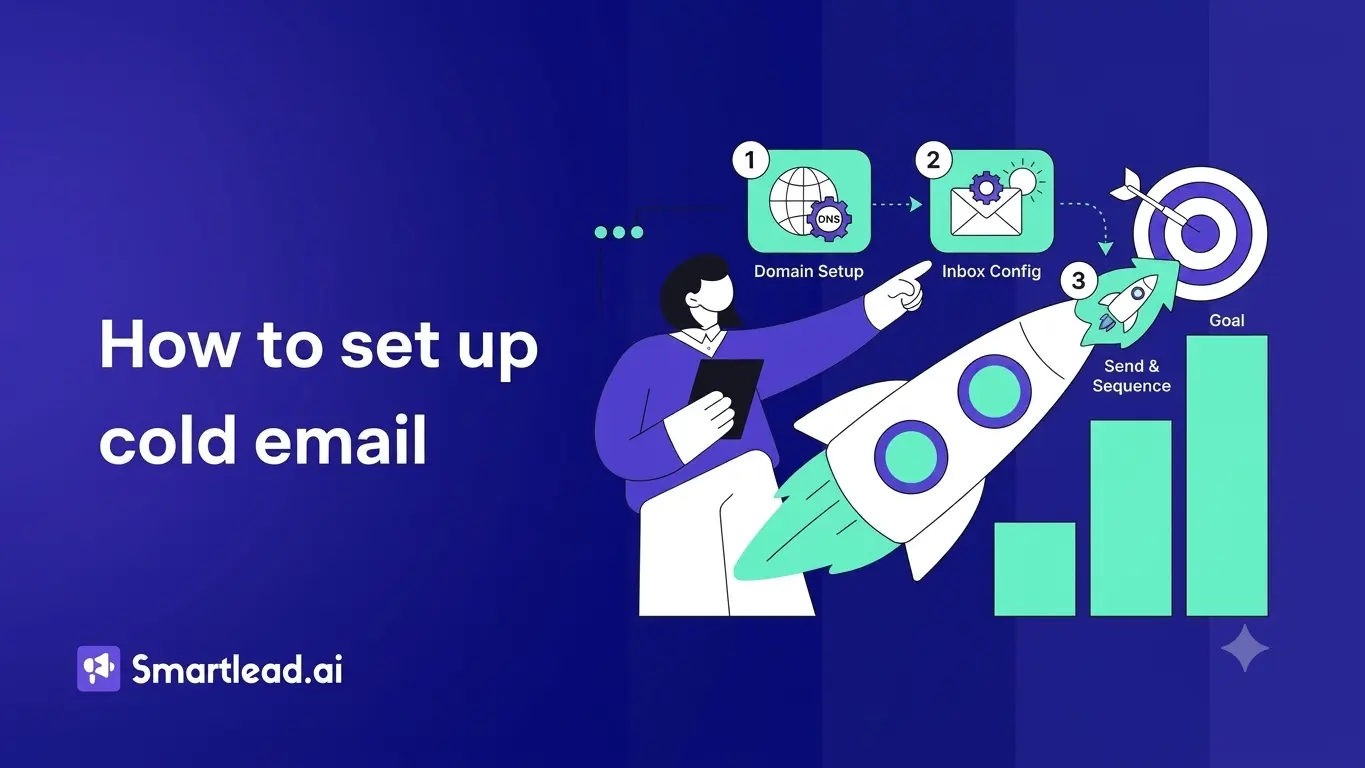
Setting up cold email from scratch means eight steps: buy a separate sending domain, create a mailbox on it, add SPF, DKIM, and DMARC authentication records, warm the mailbox up, build a targeted lead list, write a short sequence, set a safe daily limit, then launch and watch the first 48 hours. Most of the elapsed time is warmup, four to eight weeks before you send at full volume, so the active setup work itself takes closer to an afternoon.
See SmartAssistant in action →
You have decided to start doing cold email. Maybe you are a new BDR, maybe you just started an agency, maybe you are a founder trying to find your first ten customers. Either way, you have probably opened a guide somewhere, read three paragraphs, and closed it because none of it made sense yet. Domain. DNS. SPF. Warmup. Sequence. Sending limits. It is a lot of words for someone who just wants to send an email.
This piece is the calm walkthrough. End to end. Here is each step in plain English, why it matters, the manual path, and the shortcut if you would rather have an assistant handle most of it. By the end you will know exactly what cold email setup looks like and you will not feel stupid for asking.
The first decision is which domain you will send from. The advice that holds up almost everywhere is, do not send cold email from your main company domain. If something goes wrong, and it occasionally does, you do not want your sales team and your regular work email tied to the same domain reputation.
The standard move is to buy one or more variant domains that look close to your main one. If your real company is acme.com, you might pick getacme.com or tryacme.io for outbound. They are clearly yours, but they live in their own reputation bucket. If one of them gets flagged for any reason, your main domain stays clean.
You buy these domains through any normal registrar. Cheap to set up, easy to manage.
If you would rather not run domains and servers yourself, dedicated cold email infrastructure handles the whole sending layer for you, private servers, domains, and warmup pools included.
The manual path. Pick a registrar, search for variants, buy one or more domains, and connect them to a mail provider like Google Workspace or Microsoft 365 to create the actual mailboxes.
The SmartAssistant path. You still buy the domains and mailboxes yourself, because Smartlead does not own your registrar account or your Google Workspace account. Once you have them, you connect them inside Smartlead and SmartAssistant takes over from there.
Once the domain exists, you create at least one mailbox on it. Something like john@getacme.com. For low volume cold email you can start with one. Most serious senders start with three to five, because rotating across multiple mailboxes lets you scale safely without overloading any single one.
After the mailbox exists, you connect it inside your cold email tool. Inside Smartlead, you go to Email Accounts and run through the connection flow.
The manual path. You pick Gmail or Outlook, walk through OAuth, grant the permissions, and finish the connection. For custom SMTP providers, you find your server settings, paste them in, and verify.
The SmartAssistant path. You ask it to connect a mailbox and it walks you through the OAuth flow step by step. If you get stuck on a permission screen or you are not sure which option to pick, you describe the screen and it tells you what to click. If you are using a custom SMTP provider, it walks you through the right server and port values for common providers.
These are the three authentication records that let inbox providers verify your emails are really from you. Skip them and your emails go to spam, almost guaranteed. The records live inside your domain registrar, not inside Smartlead, so this step happens on the domain side.
You do not need to know what is inside the records. You just need them to be set up correctly.
The manual path. Log in to your registrar, find the DNS panel, add three text records with the right values, save, and wait a few minutes for the changes to take effect.
The SmartAssistant path. You ask it to check your domain authentication. It looks at the live state of your records and tells you which are set up, which are missing, and which are broken. For anything that needs work, it gives you the exact value to add and tells you where to add it. You make the change in your registrar, then ask SmartAssistant to verify, and it confirms when the record is live.
There is a deeper walkthrough on what each of these records actually does, if you want to understand the moving parts. If you want to learn, you can simply ask SmartAssistant what it did, how it did it, and why it did and it explains the process.
Before you send a single cold email, you need to warm up the mailbox. Warmup gradually builds up your sending reputation by sending small batches of healthy email between you and a network of other warming mailboxes. After a few weeks, inbox providers see your mailbox as a normal sender, not a brand new one.
The full warmup takes about four to eight weeks for a new mailbox. You can send a small amount of cold email during warmup, but the heavy lifting starts after.
The manual path. You turn on warmup, pick a daily volume, set a ramp up rate, and decide whether to leave warmup running once your campaigns are live.
The SmartAssistant path. Warmup gets configured for you with settings that fit a normal cold email curve. You can ask it to start warmup, change the pace, or check the status any time. Type "what is my warmup status" and it tells you exactly where you are, what your spam placement ratio looks like, and when you are ready to start sending real cold email at higher volume.
This is the part where most beginner guides skip ahead too fast. The best authentication, the cleanest warmup, and the sharpest sequence will not save you if the list is bad. You need real people, in real companies, who actually fit who you sell to.
There are three normal ways to get the list. You can buy or scrape it from somewhere, which is risky because the data tends to be stale and the bounce rate kills your deliverability. You can build it yourself by researching one prospect at a time, which is slow but accurate. Or you can use a lead finding tool that pulls fresh data.
Smartlead has SmartProspect built in, which is the lead finding side. You can filter by job title, industry, company size, location, and a few other things, then push the leads directly into a campaign. You only unlock email addresses when you decide to use them, so the credit cost is predictable.
The manual path. Use any lead source you trust, export to a CSV, upload to your cold email tool, and clean up the file before launch.
The SmartAssistant path. You describe the audience in one sentence. Something like "find me CTOs at fintech companies in New York with 50 to 200 employees." It applies the filters inside Smart Prospect, shows the count, warns you before any credit is used, and pushes the leads straight into your campaign once you confirm.
A cold email sequence is just a series of emails sent on a schedule to the same prospect. Most sequences are three to five steps. The first email introduces the reason for reaching out. The follow ups nudge gently if there is no reply. The last one is often a soft breakup that gives the prospect a clean way to close the loop.
Good sequences are short, specific, and obviously written for the person reading them. Long, formal, jargon heavy emails almost never work. Neither do messages that are clearly templated with no thought.
The manual path. You sit down, write each step yourself, add placeholders for fields like first name and company, set timing between steps, and load the sequence into the campaign.
The SmartAssistant path. You tell it what you sell and who you are reaching, and it writes the sequence directly into the editor. Each step has subject and body copy with personalization placeholders already in place. You read it, edit anything you want to change, and move on. If a step feels too long or too pushy, you ask it to rewrite that step and it does.
Cold email goes out on a schedule. You pick the timezone, the days you want to send on, and the hours within those days. You also pick a daily limit per mailbox, so you do not overload any single inbox.
The safe daily limit changes based on your warmup status and the maturity of the mailbox. For a new mailbox still in warmup, 20 to 30 cold emails per day is normal. For a mature, well warmed mailbox, 100 to 250 per day is a reasonable upper range. Going past that on a single mailbox tends to hurt deliverability.
The manual path. You pick the schedule that fits the timezone of your prospects, set a per mailbox daily limit, and adjust as the mailbox matures.
The SmartAssistant path. You ask it to set a safe daily limit and it looks at your actual mailbox state to recommend a number. It also helps you walk that number up gradually as your mailbox earns more sending headroom. If your numbers start trending the wrong way, it flags it and tells you to slow down.
Before you press send, do one quick review. Read the sequence as if you were the prospect. Check the placeholders. Spot check ten leads in the list to make sure the data is right. Confirm your sending limit. Make sure warmup is on.
Then you launch. The first 24 to 48 hours are when you watch the early signals. Are emails actually going out at the pace you set. Is the bounce rate low. Are any obvious deliverability issues showing up. Most issues that ruin a campaign show up early, so catching them in the first two days saves you a week of wondering why nothing is working.
The manual path. You watch the campaign metrics, dig into the bounces, check warmup status daily, and adjust if anything looks off.
The SmartAssistant path. You ask it to run a campaign diagnostic any time something feels off. It pulls campaign status, mailbox health, DNS, warmup, bounce rate, and recent sending history, and tells you the specific cause if anything is broken. If your campaign stops sending, you find out why in one message instead of one afternoon.
The thing nobody tells you about cold email setup is that it is mostly a one time cost. The first time you go through these eight steps, it feels like a lot. The second time you do it, it is half the work. By the third domain and mailbox set, you can run the whole setup in an afternoon. The pieces stop being scary once you have done each of them once.
If you are starting from zero today, the realistic order is, buy the domain, create the mailbox, set the authentication records, start warmup, build the list while warmup runs, write the sequence in the same window, then launch a small first campaign once warmup gets you to a safe sending volume. Total elapsed time, somewhere between four and eight weeks before you are sending at full volume. Most of that is waiting for warmup, not active work.
The shortcut is letting an assistant carry the parts that are easy to mess up. Connection, authentication, warmup, sequence drafting, daily limit, and diagnostics. You still own the strategic calls, who you sell to, what you say, what counts as a good reply. The rest can be handed off.
Usually within a few days of buying the domain. You can send a small batch during warmup, like 20 to 30 per day, while the mailbox builds up. Full volume tends to be four to eight weeks out, depending on warmup progress.
Yes, technically, but most senders avoid it because if the domain gets flagged, your regular work email suffers too. Spinning up a separate domain for outbound is the safer move.
You set them up once per domain. If you have multiple mailboxes on the same domain, they all share the same records. New domain means a new setup.
Small, around 50 to 200 leads for the first campaign. A small first list keeps you inside safe daily limits during warmup and gives you fast feedback on what works.
That is when you ask SmartAssistant to run a deliverability diagnostic on the specific campaign. It checks your records, warmup, volume, content, and bounce rate, and tells you the exact cause instead of a general list of possibilities.
Yes, but the daily sending limit is per mailbox, not per campaign. The total volume across all your campaigns has to fit inside the safe limit for that inbox, otherwise you are pushing too hard.
The honest answer is, you watch the reply rate. Open rates are unreliable because of privacy protection in some email apps. Replies, positive or negative, are the cleanest signal that your emails are landing in real inboxes and being read.
Less than most people expect. Each secondary or variant domain is just a normal domain registration, a small annual fee per domain at any registrar. The bigger recurring cost is the mailbox itself, since Google Workspace and Microsoft 365 charge per mailbox per month. So a setup with one extra domain and three mailboxes is a few dollars a year for the domain plus a per-mailbox monthly subscription for each inbox. There is no separate charge for adding SPF, DKIM, and DMARC, they are free DNS records. If you scale to many domains and mailboxes for higher volume, the mailbox subscriptions are what add up, not the domains.
If you want this entire setup to take an afternoon instead of three weeks of reading, sign up for Smartlead and let the assistant walk you through every step. Already inside an account, open the chat panel and ask it where to start.
Founder, StackOptimise
Smartlead's combination of automation, unlimited inboxes, and easy campaign management has completely transformed how we run cold email campaigns.
.jpg)
Founder, Cold Email Hackers

We have about 15 companies and we use Smartlead for all of them.

Founder, DutchSave Media

One of the things I love about using Smartlead is the deliverability feature. If they landed in the bounce or spam folders, we could resolve this quickly.

Co-Founder, Growth Today

I want to continue to use Smartlead to make operations more seamless - the plan is to bring more clients here and build more SOPs.

Founder, FueltoFly

Smartlead listens to the agencies and customers and builds according to what people want, that has really made things easier for us.

Founder, OutboundSync

We build an infrastructure product, and OutboundSync communicates with Smartlead itself. I love the webhook and API. They're really well done and keep getting better.

Founder, Axoleads

With SmartDelivery, you can put all of that in the hands of the tool. It ensures your emails land in inboxes, and by running a simple test, you can see if you're hitting the mark.

Founder, Claygen
Deliverability is the cornerstone of cold email outreach. You could have the best email copy in the world, but if no one is seeing it, it's useless. I really love the feature where you can actually give client accesses to your clients.

Co-Founder, Cymate

I do not want to switch to another software. Pick a solution you trust, stick with it, and keep refining your copy.

CMO, Avalanche Capital

Managing large volumes of emails through multiple inboxes used to be a logistical nightmare. With Smartlead, the process is seamless. We book thousands of discovery calls through cold emails. These campaigns are generating leads at a scale we never thought possible.

Founder, Growth Engine X

We came for the unlimited inboxes, and we stayed for the API. 1.5M cold emails/month, 7,767+ inboxes managed.

Head of Community & Ecosystem, TxtCart

You cannot replace having 10,000 touches with potential clients. When you have that much distribution and reach, you really start to see incredible results. The simplicity of Smartlead made all the difference. It doesn't require you to be a technical wizard.

Founder, Hyperke

Smartlead has been a game-changer for us. It increased our appointment volume, improved ease of use, and offered valuable features. 80% increase in appointments/month, peak of 276 appointments in a single month.

Founder, Kinetyca

Smartlead has been our cold email backbone from day one. The platform evolves constantly, keeping pace with how deliverability and personalization need to work today. 21% overall reply rate, $175K in 4 months for multiple B2B clients.

Founder, Reachflow

Smartlead is centered around deliverability and constantly evolving. Their API is not like any other platform. Smartlead covers all our needs. The focus on core features like deliverability and API integration is unmatched.

CEO, Halfwarm

Our approach to crafting conversational emails led to reply rates that many of my peers thought were unattainable.

Co-Founder, letstrike

We've grown on zero capital, zero marketing, purely cold emailing - and that's the story we love to tell. The best approach is no approach if you can't handle domain meltdown. The second best is something like Smartlead that's built from the ground up for deliverability at scale.

Founder, Fenixtal

Smartlead's white-labeling and automation let us punch above our weight. The 12M euros sales potential? That's what happens when you combine human creativity with Smartlead's precision.

Co-Founder, Digital Creativs

Nine out of 10. Ninety percent of our clients are on Smartlead unless they come in with an existing setup. That's the default.

Co-Founder, BuildingReach

At the end of the day, you have to take a bet on one tool or another. It was a no-brainer taking that bet on Smartlead. We had to even turn down the volume of our marketing campaigns - Smartlead was capable of driving more volume than our sales team was able to fulfill.

Founder & MD, Prospectiv

Since starting the business in January of this year, we've already generated $200K in sales exclusively from cold email. Smartlead has been central to our operations and has exceeded our expectations.

Founder, Growthlynk

There's so much stuff built on top of it. I would be dead if I had to rebuild it with another tool. I can manage hundreds of senders easily. I can send hundreds of thousands of emails.

Founder, Corebits

The platform's HubSpot integration, real-time Slack updates, and advanced campaign customization have been game changers for our business and our clients'.

Founder, Apex Ascension

From day one, we've never used anything else.